All your Google Analytics on one screen.
Live visitors and a fair comparison with yesterday, for every site you look after. Free in your browser for now.


Privacy
Your data stays with you. Nothing in between.
GA Bridge has no servers. Nothing about your sites is recorded centrally, ever.
- Read-only
- No account
- No tracking
- Revoke any time
No servers
Straight from Google to you.
GA Bridge asks Google for your reports from your phone or your browser tab. There is nothing in between to store, sell or leak.
Nothing recorded
Not by us, not by anyone.
No accounts, no tracking, no analytics or ads in the apps, no logs of your numbers. The App Store lists it as Data Not Collected.
Read-only
Yours to revoke.
Google's own sign-in, limited to read-only Analytics. It stays on your device: in the iPhone's keychain, with Google Play services on Android, or for an hour in your browser tab. Revoke it any time.
iPhone, Android and desktop
At your desk, and away from it. The same glance everywhere, from the same Google sign-in.
Desktop
In any browser.
Sign in at gabridge.app/app on a Mac or PC. Nothing to install; a wide table of every site, with the detail a click away. Or try the demo first, no account needed.
Open the web appiPhone
On the App Store.
The native iPhone app: live counts, every site in detail, and the Countries, Sources and Events tabs. £2.99 once, with a free demo to try first. For iOS 17 and later.
Download on the App Store(opens in a new tab)Android
On Google Play.
The native Android app, with the same live counts, tabs and per-site detail. £2.99 once, no subscription.
Get it on Google Play(opens in a new tab)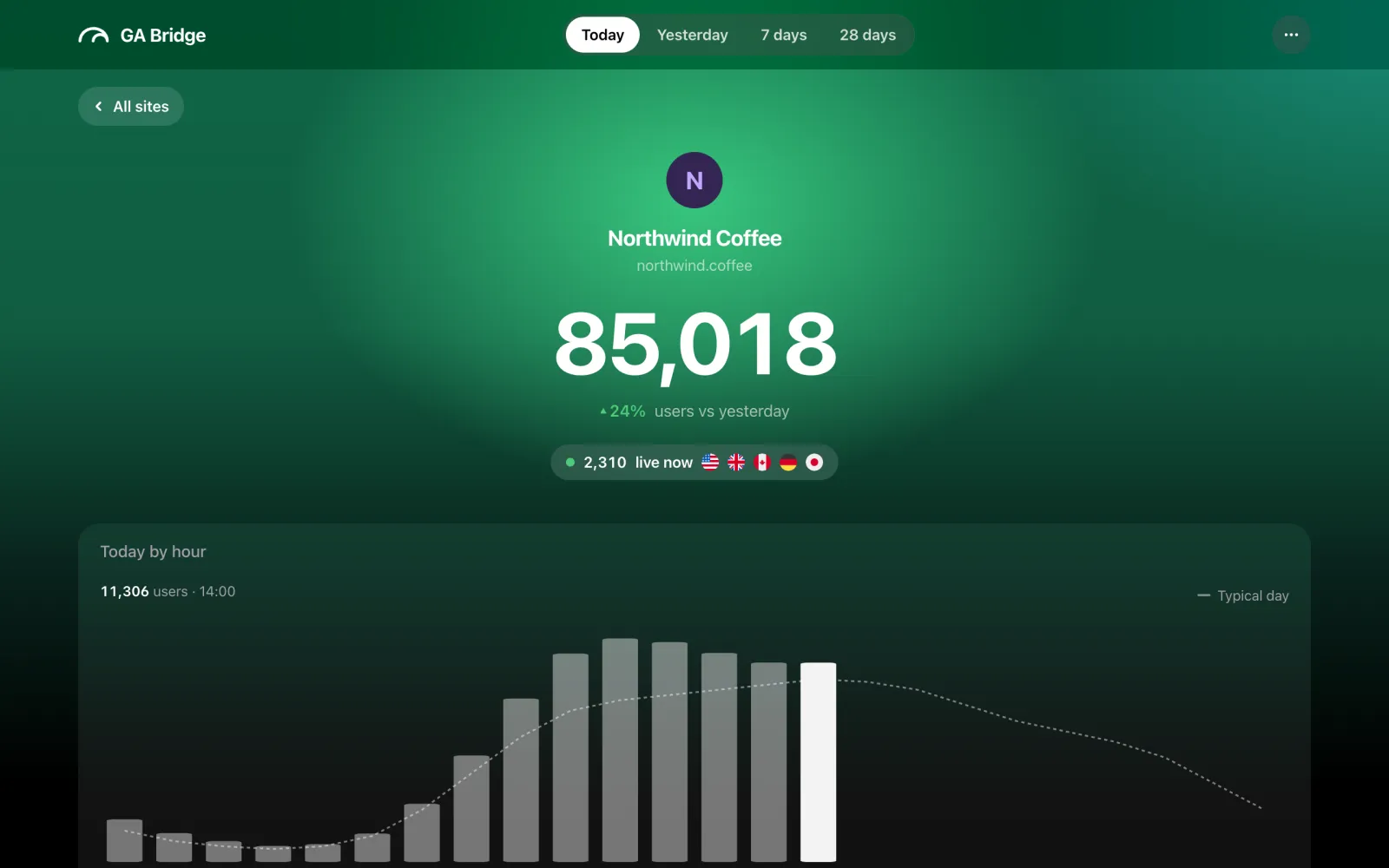
Dashboard
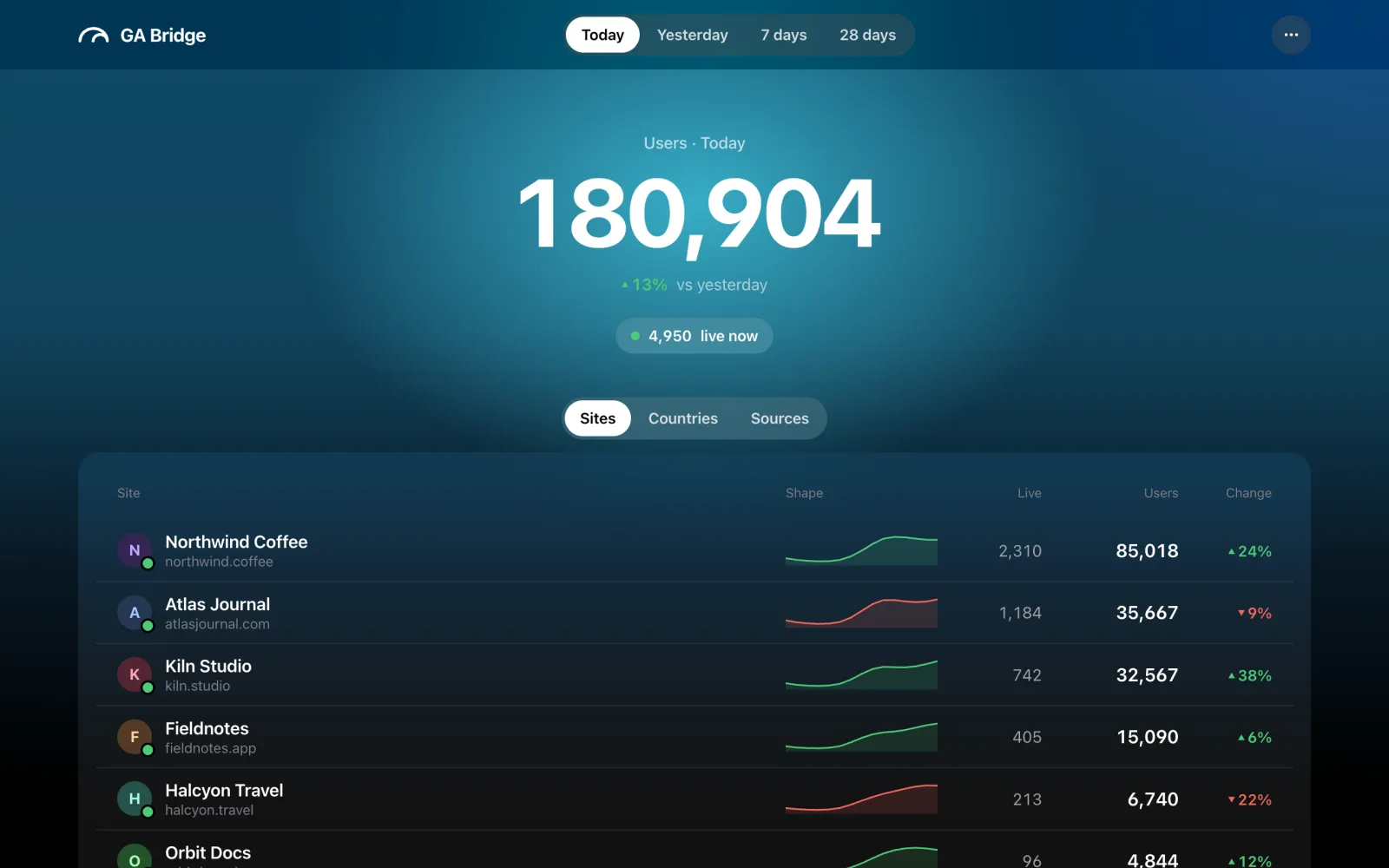
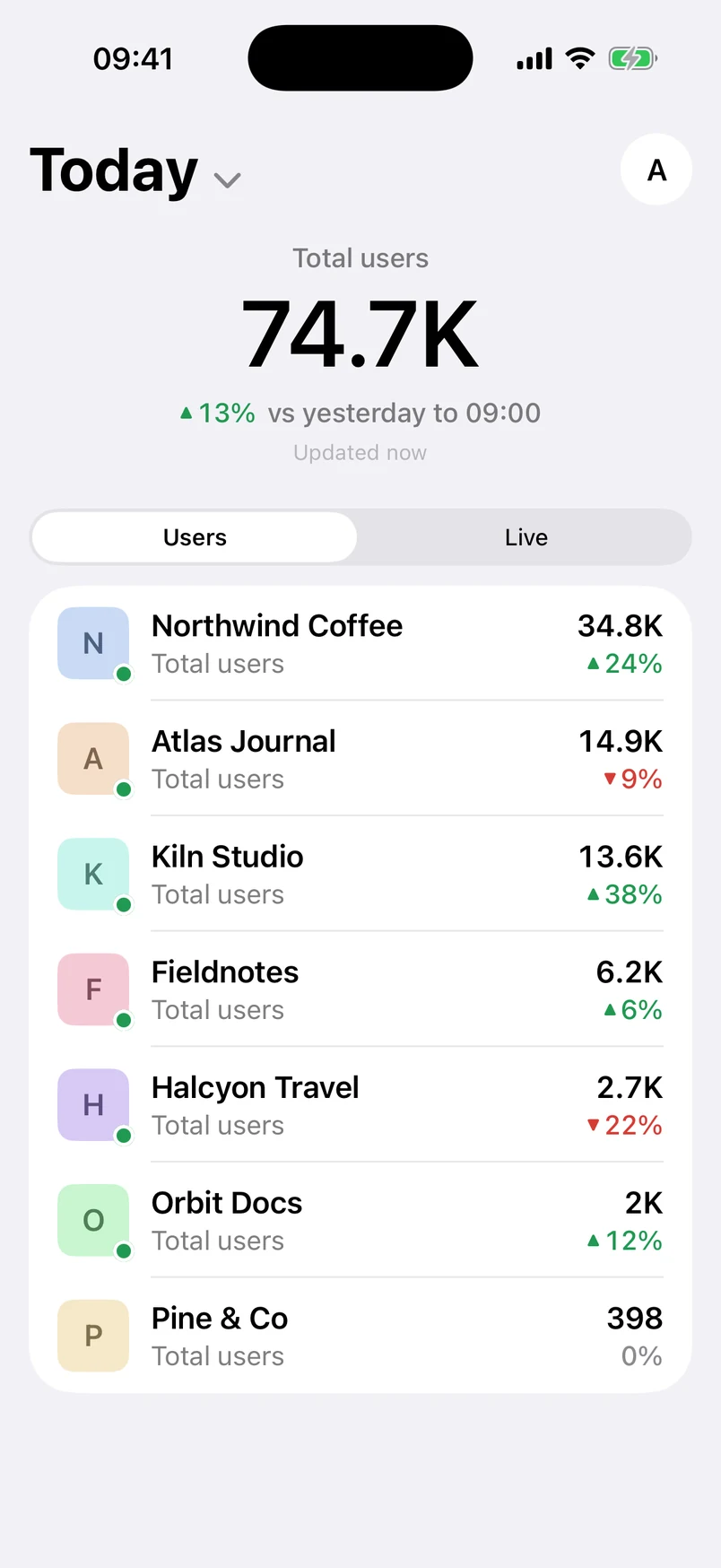
One number at the top, every site below. Each one compared with yesterday up to the same hour.
On the screen
Today · Yesterday · 7D · 28D
- Total users
- Across every property, for today, yesterday, the last 7 or the last 28 days.
- Live now
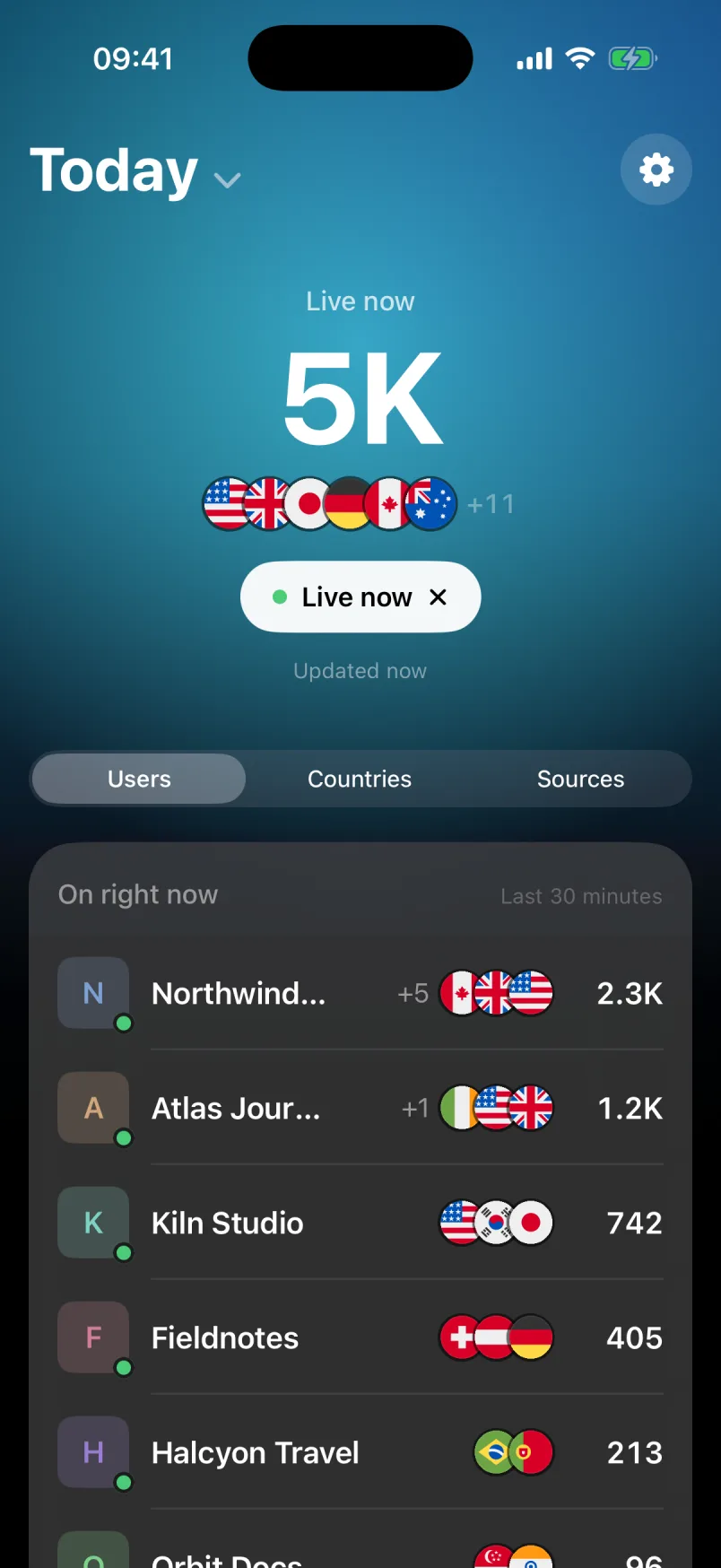
- Tap the pill for visitors in the last 30 minutes, the flags of the countries they're in and the pages they're reading.
- Likely bots hidden
- Data-centre visits, like the phantom visitors from Council Bluffs, are left out of every number.
- Busiest first
- Every site a row, its users and its change. Quiet sites drop to their own group, dimmed.
- Hide
- Swipe a property away. Undo if you change your mind.
Detail
Then one site, in depth. The colour follows the day: greener when it's up, rosier when it's down.
Tap any site
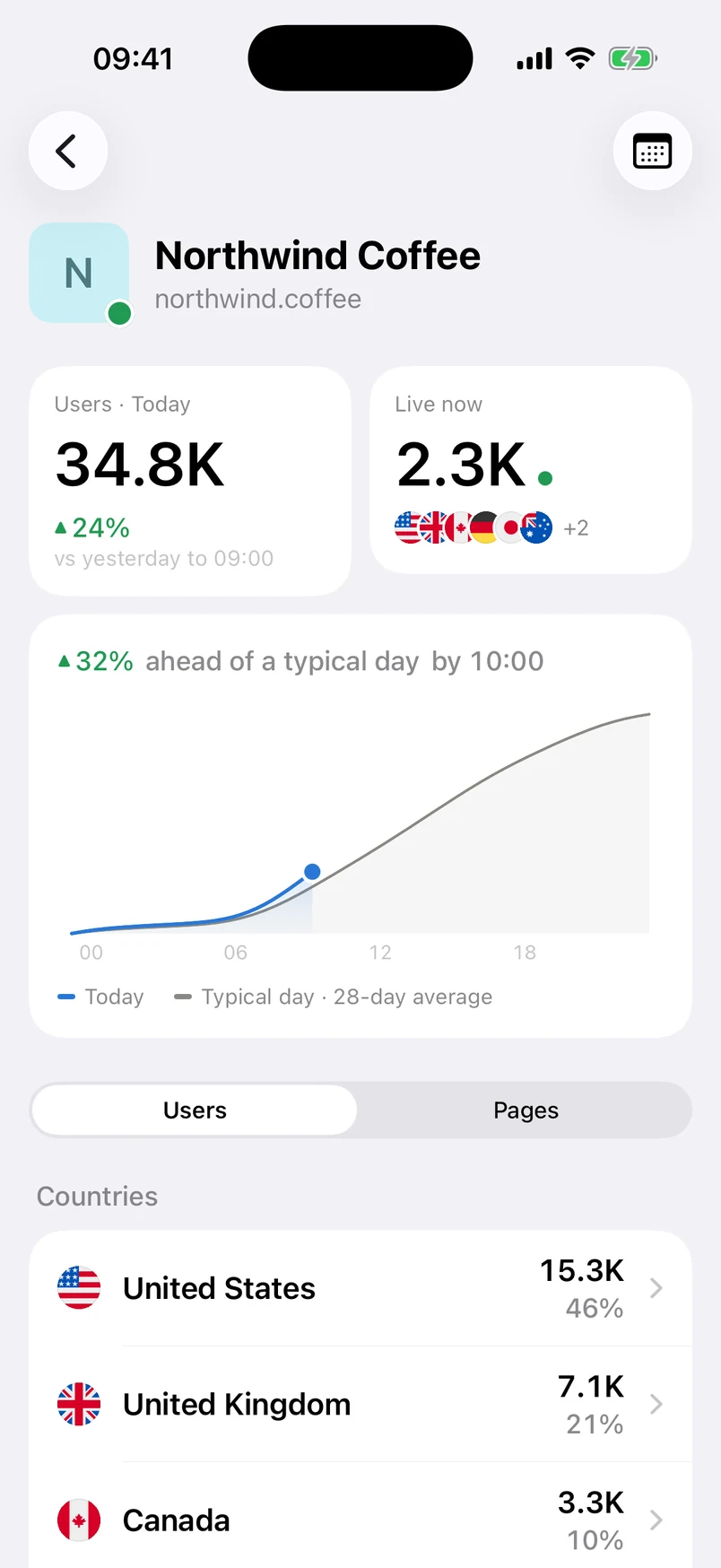
- Today
- Users so far, against yesterday to the same hour, and who's on right now.
- Typical day
- Today's curve over the 28-day hourly average. The 7-day and 28-day views show a column per day.
- Users, pages and events
- Countries down to city, devices, traffic sources with their icons, the top pages, and every event with its count.
Countries and sources
Where your visitors are, across every site. Not one property at a time.
Two more tabs
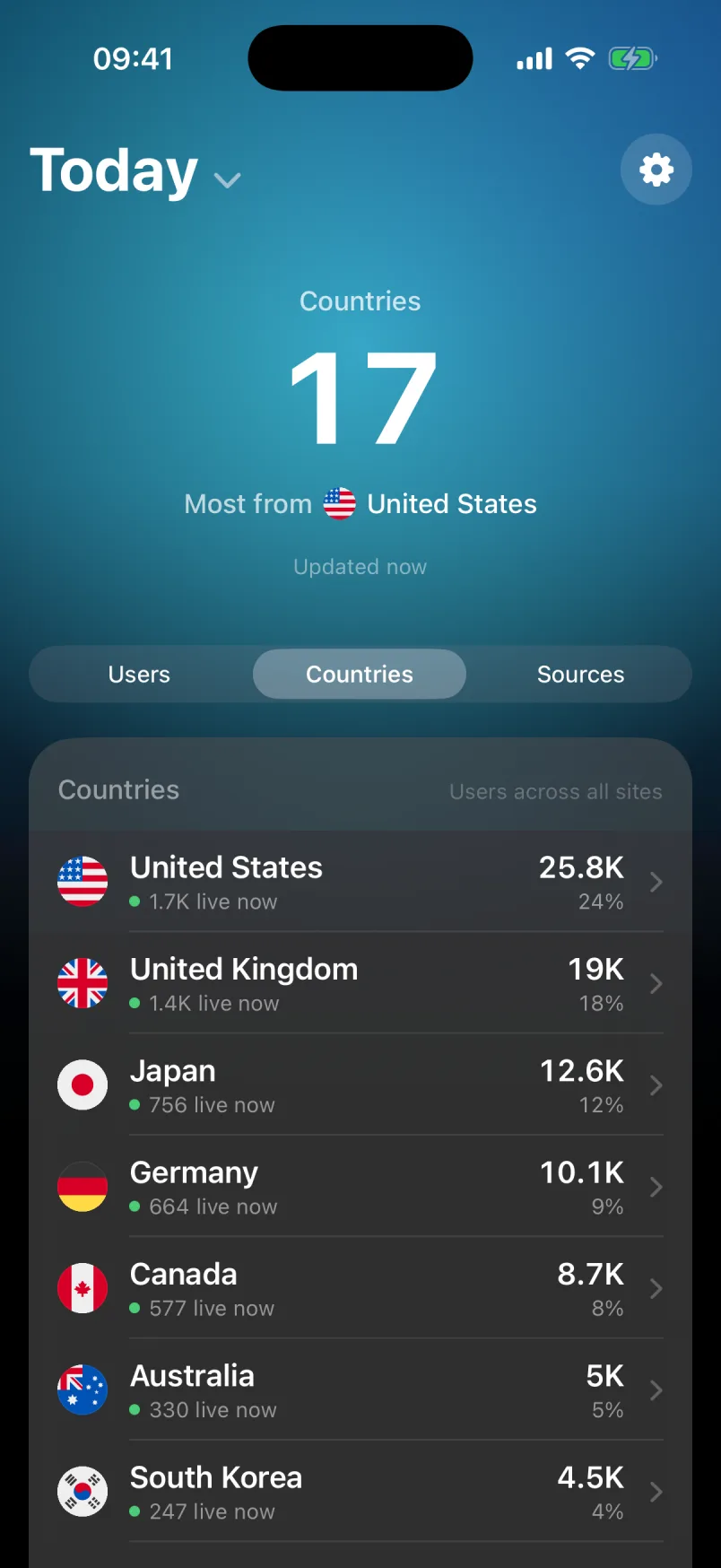
- Countries
- Your most popular countries across all your sites, with who's there live. Tap one for its sites and pages.
- Sources
- Where sessions come from, summed across every property. Tap one for its chart and the exact links that sent people.
Compared
Next to the official app. Google's app is the toolbox for one property. GA Bridge is the glance across all of them.
1Google Analytics is a trademark of Google LLC. GA Bridge is an independent app and is not affiliated with Google.
Questions
Before you sign in. What it can see, what it costs, who makes it.
- Is GA Bridge free?
- The web app at gabridge.app/app is free for now, with every property; a paid plan for the web is coming. The iPhone and Android apps are a free download; a one-time £2.99 in-app purchase (or the local equivalent) unlocks them for every property your Google account can see. On iPhone, Try the demo on the sign-in screen shows the whole app on made-up sites first. There's no subscription and no GA Bridge account to create: you sign in with the Google account you use for Analytics. Anyone who installed before iPhone 1.2 or Android 1.3 keeps every property free. What's free and what the unlock adds
- What can GA Bridge see in my Google account?
- Only Google Analytics, read-only. It asks Google for one permission (analytics.readonly), which lets it list the accounts and properties you can see and read their reports. It can't change any settings or data, and it never asks for anything else in your Google account. How GA Bridge handles your data
- Where does my Analytics data go?
- Straight from Google to your phone or browser tab. GA Bridge has no servers, so nothing about your sites is stored centrally or seen by anyone else. The App Store lists the iPhone app as Data Not Collected.
- Can I see sites I don't own, like clients' sites?
- Yes, if your Google account has access to them. Every GA4 property your account can see, across every Analytics account, appears on the one dashboard. Viewer access is enough. Swipe away any you don't want to see. Seeing every property at once
- Does GA Bridge work with Universal Analytics?
- No, it reads Google Analytics 4 properties. Google stopped processing data in standard Universal Analytics properties in July 2023, so GA4 is where your current numbers are.
- How is it different from the Google Analytics app?
- Google's app shows one property at a time, with reports, filters and custom date ranges. GA Bridge shows every property at once, each compared with yesterday up to the same hour, with live visitors and likely bots left out. It's the quick look, not a replacement for the full reports. GA Bridge vs the Google Analytics app
- Is there an iPad version?
- The iOS app is made for iPhone (iOS 17 and later). On an iPad, a Mac or a PC, use the web app at gabridge.app/app in the browser: nothing to install.
- Who makes GA Bridge?
- Jonathan Willington, an independent developer. GA Bridge isn't affiliated with Google. Questions and suggestions go to [email protected]. About GA Bridge